|
|
||||||||||||
 |
||||||||||||
|
||||||||||||
Ingate Session Border Controllers (SBCs)
Ingate Systems is based in Stockholm, Sweden and has filials and distributors all around the world. Our security technology dates back to 1996 and since 2001, SIP has been the focus when designing our award-winning SIP-aware firewall products, making Ingate the only choice for enterprises and service providers planning a secure, flexible and interoperable communications solution. Ingate products are a perfect fit for any SIP-based VoIP/UC installation and is often cited by users and media for their ease of use. More than 10,000 Ingate products have been installed worldwide.
What is a Session Border Controller?A Session Border Controller is a device that connects to an existing network firewall to seamlessly enable SIP communications (Session Initiation Protocol). While traditional firewalls block SIP traffic – including mission-critical applications like Voice over IP (VoIP) – the Ingate SIParator® SBC resolves this problem, working in tandem with your current security solutions. The Ingate SIParator® / Firewall SBC RTS-FW
The Ingate SIParator® is a powerful, flexible and cost-effective Enterprise Session Border Controller (E-SBC) for SIP connectivity, security and interoperability, such as
connecting PBXs and Unified Communications (UC) solutions to SIP trunking service providers.

The SIParator simplifies SIP trunking and makes it easy to connect remote UC end points, aggregate SIP trunks and distribute sessions between sites and service delivery points. It's utilized for Real-Time communications security, SIP interoperability and extensive connectivity. The SIParator® is compatible with all existing networks and comes with a standard SIP proxy and a SIP registrar. It has support for NAT and PAT as well as for TLS and SRTP to encrypt both SIP signaling and media, eliminating the security issue most commonly associated with using enterprise VoIP. The flexible system of add-on licenses allows any enterprise to enhance the SIParator®/Firewall® solution to meet their needs at any given moment. With more than 10,000 installations worldwide, the Ingate SIParator® comes in a wide range of capacities, and has been used by retail companies, financial institutions, industrial firms, government agencies, call centers and small-to-large enterprises. The Ingate Software SIParator® / Firewall SBC RTS-FWThe SIParator®/Firewall® is available as hardware, and also as a software deliverable for virtual machines (VM) or the cloud (Amazon Web Services, Microsoft Azure, OpenStack, Google Cloud Platform). 
Ingate's Software SIParator®/Firewall®, which offers the same security and SIP-enabling functionality found in Ingate's hardware-based E-SBCs, is designed to be installed on a virtual machine using one of several hypervisors. It is intended for IP-PBX vendors, system integrators and customers deploying a large number of Ingate products on their own hardware platform. SBC VoIPBusinesses connecting their infrastructure to a SIP Trunk, or VoIP connection, require an SBC for security, interoperability and transcoding. An SBC will automatically do the call translations using built-in interoperability features, and also translate the audio with onboard transcoding capabilities. SIParator FunctionalityThe Ingate SIParator®/Firewall® E-SBC for SIP TrunkingSolving the Firewall and NAT Traversal Problems for SIP-based VoIP Ingate Advanced SIP Routing Ingate Remote SIP Connectivity Ingate Quality of Service Ingate VoIP Survival Ingate SIP Registrar Watch the TMC interview where Ingate's Steve Johnson discusses Ingate's Session Border Controllers and their cloud realization on Amazon Web Services, Microsoft Azure, OpenStack and Google Cloud Platform. 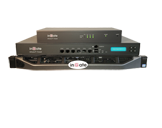
Ingate SIParator®/Firewall®The SIParator®/Firewall® is a device that connects to an existing
firewall to seamlessly allow the traversal of SIP-based communications. It is cost effective and compatible with all existing firewalls and operating
systems. 
Ingate SIParator®/Firewall® S22The S22 is a powerful tool that offers small businesses, branch offices and home workers complete support for IP communications based on SIP.
With the SIParator 22, these businesses can leverage the same productivity and cost-savings benefits of Voice over IP and other IP-based communications as large corporations.

Ingate SIParator®/Firewall® S52
The Ingate SIParator®/Firewall® S52 is a powerful tool for businesses wanting to step up to the next level of using Voice over IP and other IP-based realtime communications, and to do so not only within the company, but outside the enterprise as well.

Ingate SIParator®/Firewall® S95/S97/S98
The Ingate SIParator®/Firewall® S95/S97/S98 are E-SBCs that offers large enterprises a controlled and secured migration to Voice over IP and other live communications, based on SIP. With the Ingate SIParator, E-SBC even the largest of businesses, with branch offices around the world and remote workers, can easily harness the productivity and cost-saving benefits of VoIP and other IP-based communications while maintaining current investments in security technology.

Ingate Software SIParator®/Firewall®Ingate's Software SIParator®/Firewall® is the software version of Ingate's E-SBCs, - the solution for enterprises that want to deploy
Ingate products on their own hardware platforms. The Software SIParator®/Firewall® is designed to be installed
on a virtual machine using one of several hypervisors. Maximum RTP session capacity depends on hardware.
Ingate Modules and LicensesIngate's included features and the flexible licensing system give
any enterprise the flexibility to create the SIParator®/Firewall® that solves
their specific need for the moment. All licenses can be added
at any time.
|
|
|||||||||||
| Support? | Helpdesk! | ||||||||||||
|
||||||||||||
| Isafjordsgatan 30C SE-164 40 Kista, Sweden | info@ingate.com | Contact us | Home | ||||||||||||
|
||||||||||||
| How Ingate uses cookies | ||||||||||||
|
||||||||||||